Initializing analytics engine…
Analyze your spending on desktop
Open a Budgetum export to explore breakdowns, trends, and calendars. The same insights as the app, with room to dig deeper.
Drop your analytics ZIP or CSV here
In the app: More → Import / Export, tick Include analytics data, then Export CSV.
Processing…
Private
Data never leaves your browser
Saved locally
Stays here until you clear it
Budgetum export
ZIP with Include analytics data, or a plain CSV
What is Budgetum Desktop Analytics?
A free companion to the Budgetum budget planner app. Export your transactions from your phone and explore them on a big screen: breakdowns, trends, a spending calendar, recurring payments, and net worth. No account and no sign-in.
A plain CSV export works too. The ZIP with analytics data adds your categories, accounts, saved sets, and recurring schedules, so the reports match the app.
How to export from the app
- 1In the Budgetum app, open the More tab and tap Import / Export.
- 2Pick the period: All time, Month, Year, or Custom period.
- 3Tick Include analytics data.
- 4Tap Export CSV and save the ZIP file to your computer.
- 5Drop the ZIP on this page, or click the upload area to choose it.
Reports you get
Overview
Income, expenses, and what remains for any period.
Money flow
How income flows into sections and categories.
Breakdown
Spending or income by section, category, contact, tag, or account.
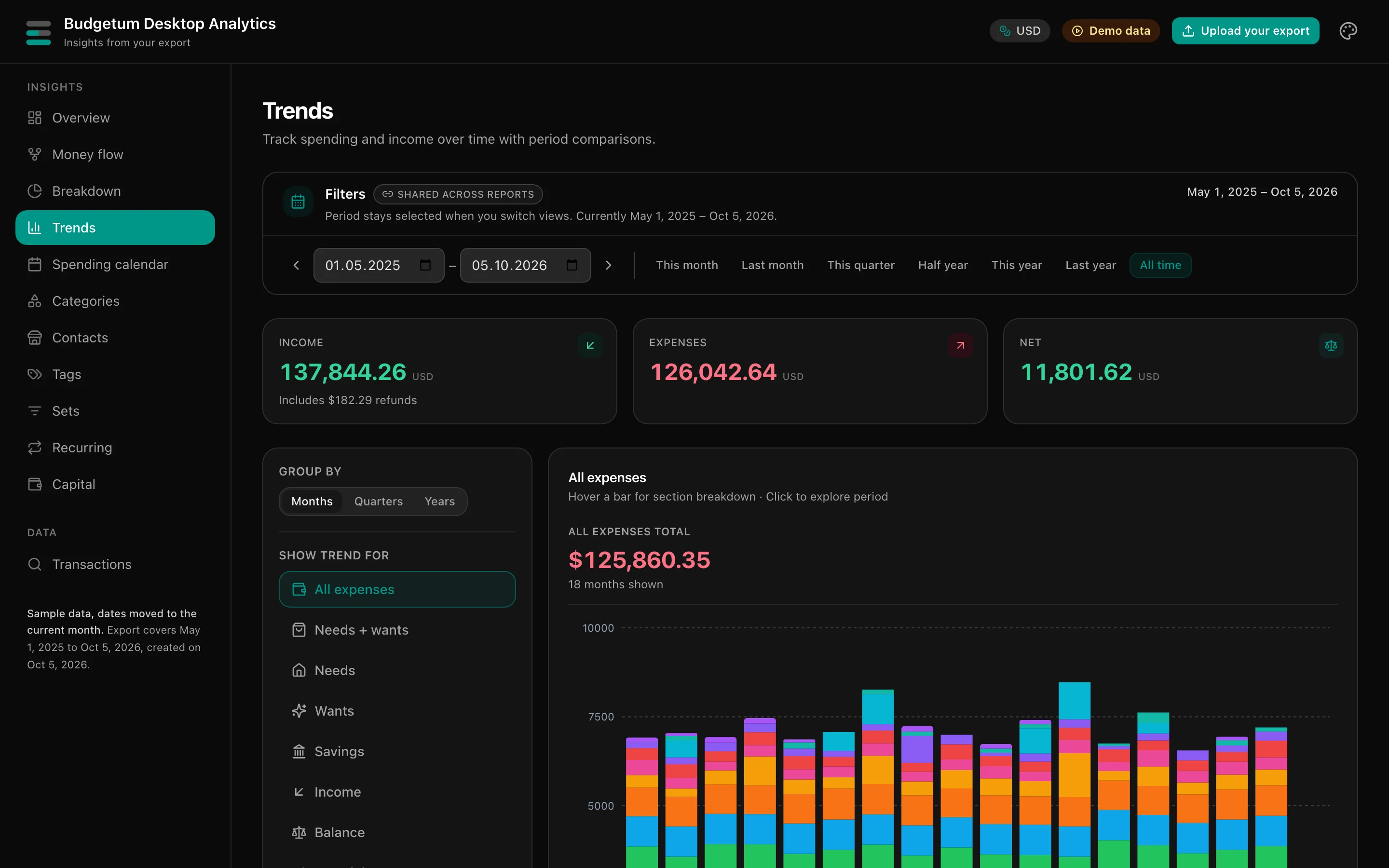
Trends
Days, weeks, months, quarters, or years, with comparisons.
Spending calendar
Daily heatmap, year view, and weekday patterns.
Categories
Each category with its trend, payees, tags, and accounts.
Contacts
Top payees, contact types, and recurring patterns.
Tags
Tag coverage, combinations, and trends.
Sets
Your saved sets from the app, with totals and reports.
Recurring
Recurring templates, upcoming dates, and history.
Capital
Net worth across accounts, assets, and liabilities over time.
Transactions
Every transaction with search and filters.
Private by design
- Your file is read locally in this browser. Transactions are never uploaded.
- The last import is kept in this browser so you can come back to it. Use Clear & upload to remove it.
- If your accounts use more than one currency, only the currency codes are sent to fetch exchange rates.
Download the free budget planner app
Budgetum is a simple budget planner and expense tracker for iPhone and Android. Plan it, track it, and understand your money.
- Free to start
- Works offline
- No account
- Your data stays on your device